

Vibe coding an iPhone app — from an iPhone

Good-bye computer
There's a newborn 👶 in the house 🏠, which means my time at a desk has mostly evaporated. These days I'm more likely to be on a walk, at a park, or waiting around at the hospital than sitting in front of my laptop.
So I went looking for a way to keep building my iOS app without the laptop in front of me — ideally hands-free, driven by voice, from the one computer I always have on me: my phone.
But my app needs a real computer
This turned out to be harder than the usual "code from your phone" setup, because I'm not editing a web app on a cloud server. I'm building a native iOS app, and that means Xcode — which only runs on Apple hardware and can't be spun up on some Linux VPS. Whatever I came up with had to reach back to a real Mac to compile, run the simulator, and deploy.
That one constraint shaped everything below. Whatever I came up with had to let my phone drive a Mac, not replace it.
Here's the setup I landed on, what each piece does, and the one problem I still haven't cracked.
What I'm aiming for
Three things had to be true for this to work:
- Control the Claude Code session running on my Mac, from my phone.
- Reliable, hands-free voice-to-text on iOS — so I can actually talk to it instead of thumb-typing.
- Remotely deploy a build to my phone from anywhere. (Spoiler: still unsolved — more on that at the end.)
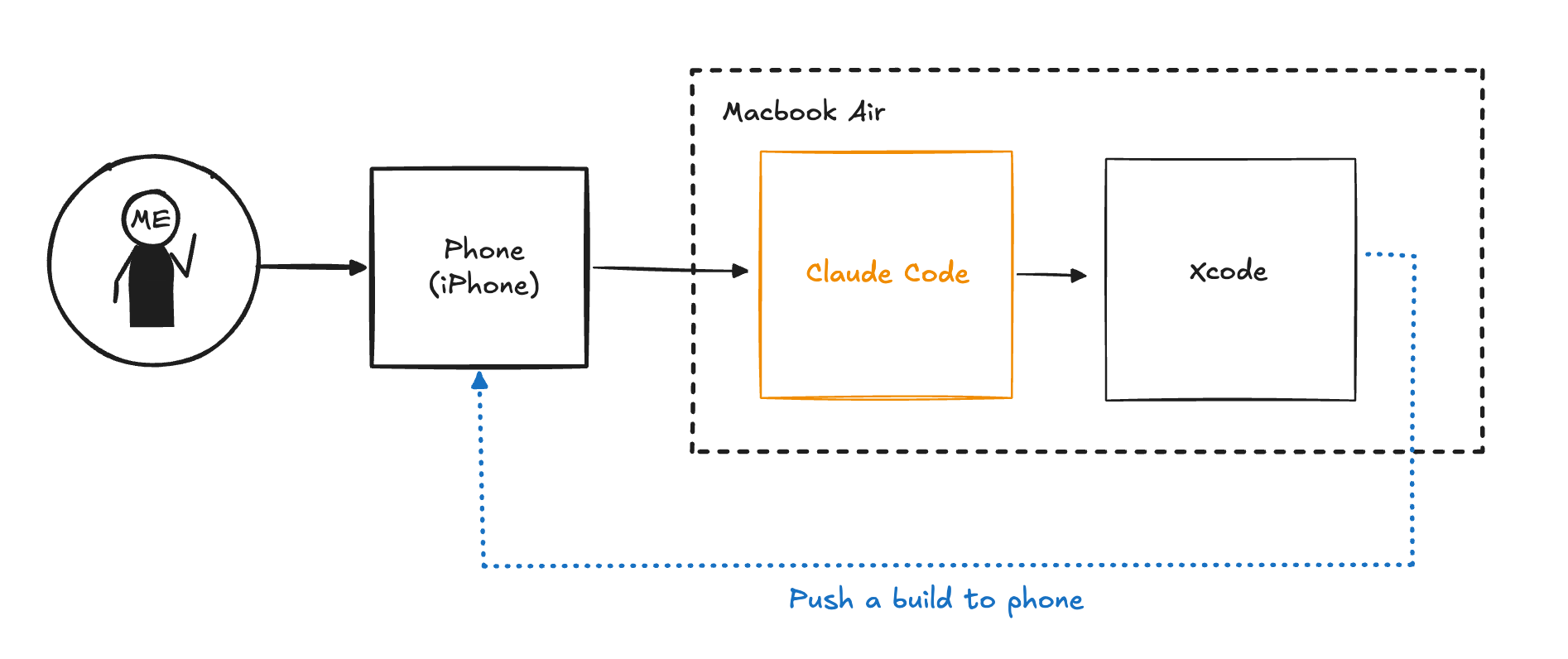
Here's the flow I was aiming for. The dotted line — pushing a build back to the phone — is the part I haven't cracked yet:
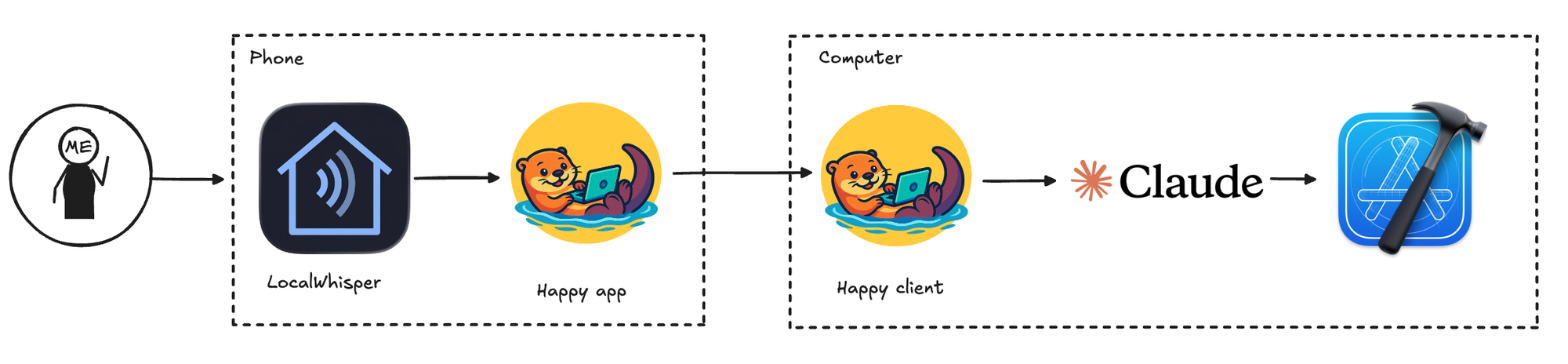
And here's what I actually ended up with:
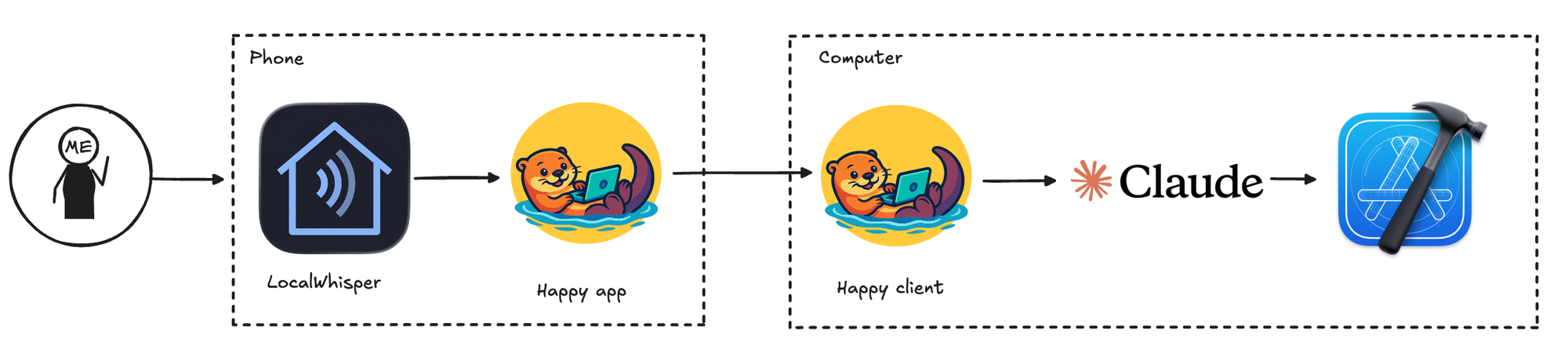
The rest of this post walks through each piece. I'm driving all of it with Claude Code, Anthropic's CLI agent, running on my Mac.
Happy: Controlling Claude Code from your phone
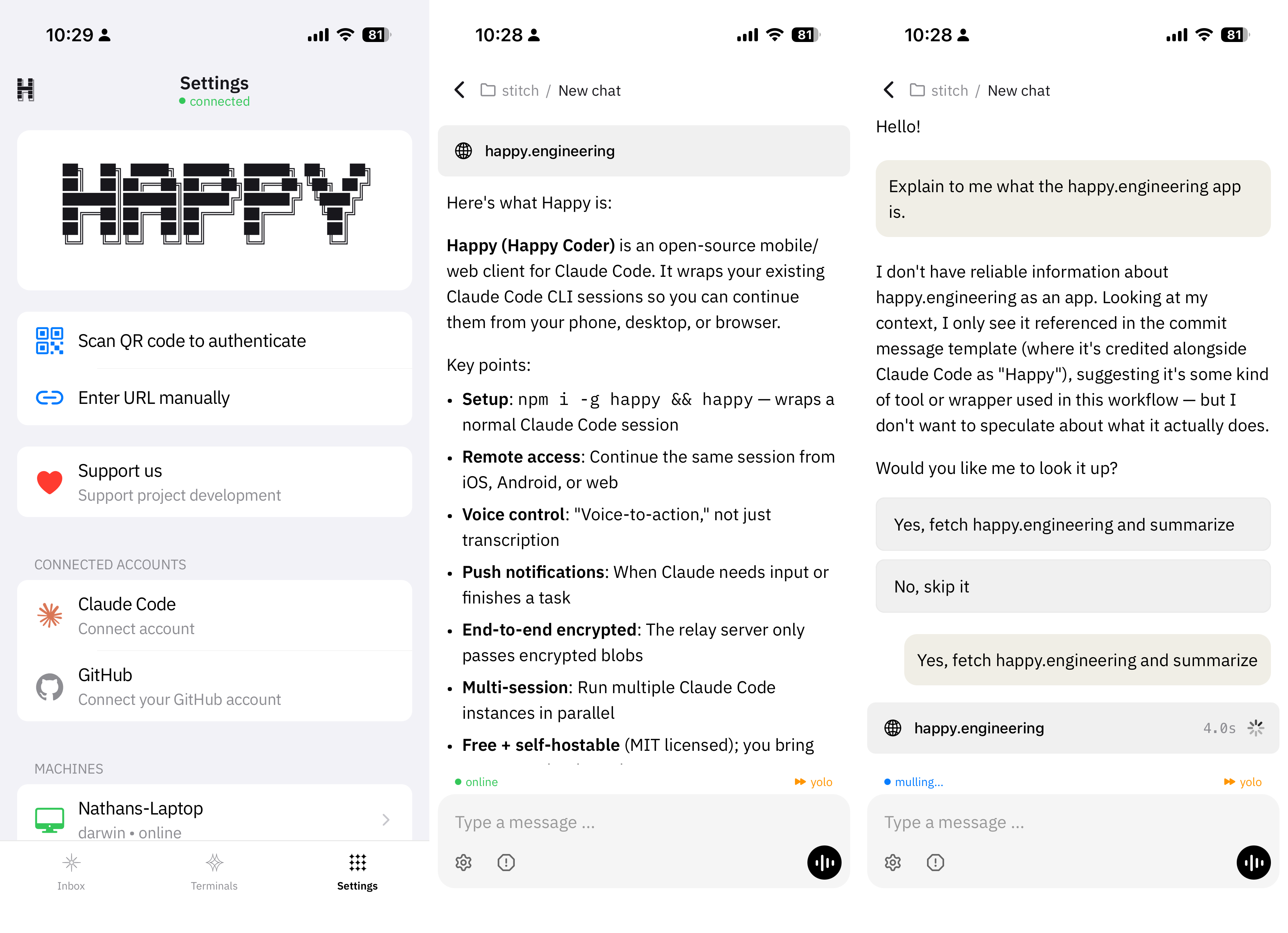
The piece that makes this possible is Happy (source on GitHub) — an open-source mobile and web client for Claude Code and Codex.
 slopus
You run it on your Mac instead of claude, and it wraps a normal Claude Code session so you can pick it up from the Happy app on your phone, desktop, or browser. The bits I care about:
- Remote access — continue the same session from my phone, away from my desk.
- Voice control — "voice-to-action," not just dictation into a text box.
- Push notifications — it pings me when Claude needs input or finishes a task.
- End-to-end encrypted — the relay only passes encrypted blobs; it can't read your session. (Worth knowing, since you are effectively letting a phone drive a shell on your laptop.)
- Multi-session — run several Claude Code instances in parallel.
- Free and self-hostable (MIT licensed) if you'd rather not use their relay.
LocalWhisper: Reliable, free Voice-to-text on iOS
Happy gets my phone talking to my Mac. But to be truly hands-free I needed good voice-to-text, and that's its own rabbit hole.
iPhones come with text-to-speech, but it's super unreliable 😔 and not very configurable. Maybe it will get better with the next version of Siri, but right now it's 💩 👎.
The popular paid options — Wispr Flow, SuperWhisper — work well but are pricey for what I wanted. I also just prefer models that run on-device.💰 👎
What I landed on is LocalWhisper:
- Free, and runs Whisper models entirely on-device.
- No subscription — there's a one-time $5 Pro unlock, and that's it.
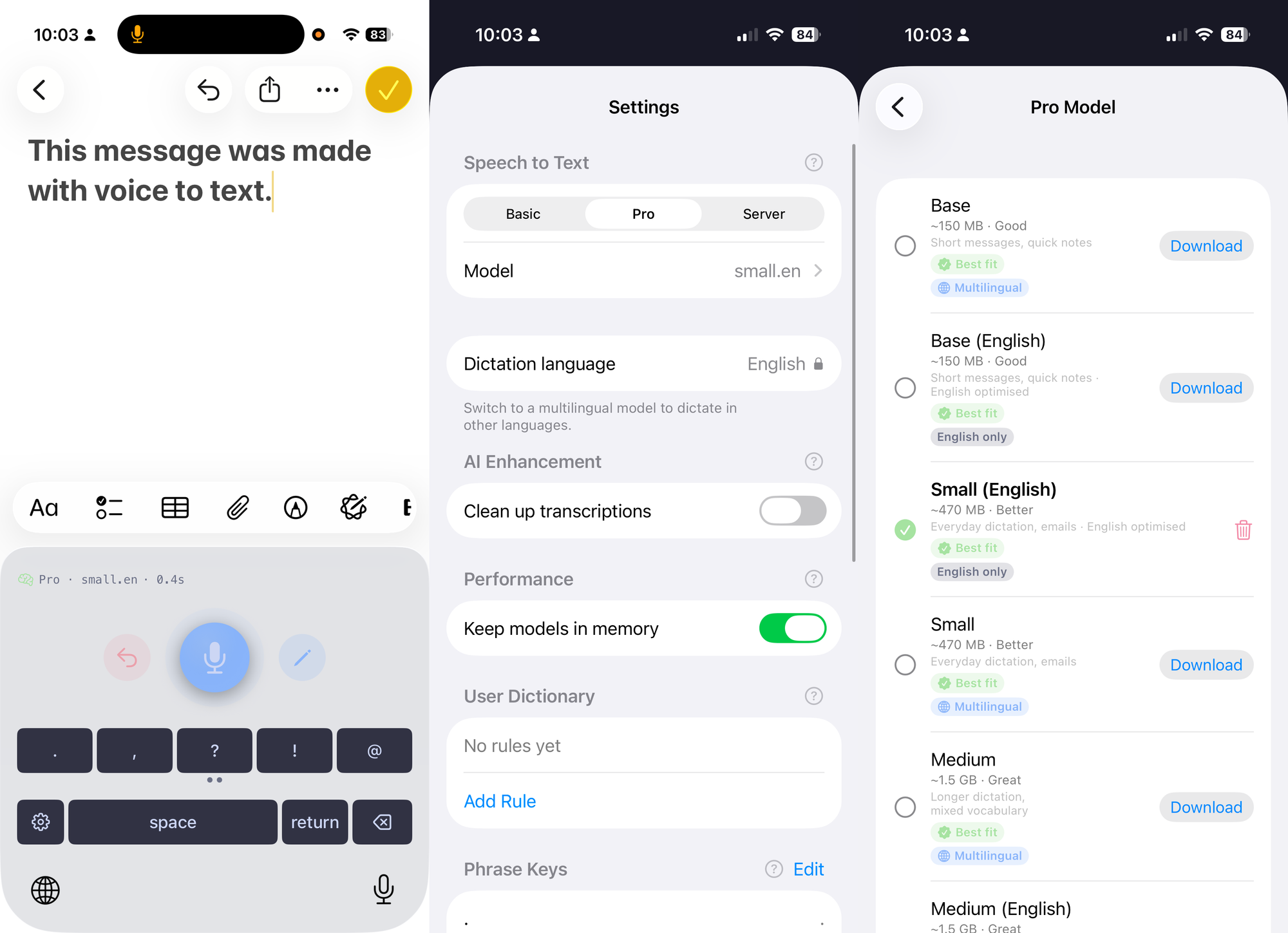
- Model choice, optional AI text cleanup, a system keyboard so it works in any app, and self-hosting support.
- Very customizable, you can specify rules and keywords and even post-grammar checks with another model
Here are some screenshots:
Putting it together
With both pieces in place, the loop looks like this:
- I dictate with LocalWhisper, which types straight into the Happy app.
- Happy relays that to the Claude Code session running on my Mac.
- Claude Code does the work — and for the iOS-specific parts (building, running the simulator, deploying) it uses XcodeBuildMCP, which gives the agent a clean set of tools to drive Xcode.
So I can be on a walk, talk to my phone, and have an agent compiling my app on a Mac sitting at home.
How I'm actually using it
Honestly? Mostly for planning. That's where the bulk of my time goes anyway — thinking through a feature, breaking it down, arguing with the agent about the approach — and all of that works great from a phone.
I can also compile and build remotely. What I can't do yet is the satisfying part: manual testing on a real device still waits until I'm home in front of the Mac.
The missing piece: getting a build onto my phone instantly
This is the one thing I haven't solved, and it's the dotted line in that first diagram.
The problem: there's no quick way to push a fresh build to my physical phone unless the phone is cabled to the Mac or on the same Wi-Fi. The moment I'm out of the house, that breaks.
What I've tried or considered:
- Xcode Cloud + TestFlight — works, but a build takes 10–15+ minutes round-trip, which kills the fast feedback loop I'm after.
- use FastLane running locally would work fine in my case
- 10-15 minutes is not the worst and maybe what I'll end up with anyways
- Tailscale — I tried putting the phone and Mac on the same tailnet so they'd look "local" to each other, but couldn't get a wireless deploy to go through. (If you've made this work, I'd genuinely love to hear how.)
- Xcode's old "deploy to IP address" feature — discontinued.
There are still a couple things I want to try, but TBD!
Conclusion
The setup I've got — LocalWhisper into Happy into Claude Code into Xcode — lets me plan and build my iOS app from basically anywhere, hands-free, which is exactly what I needed right now.
The last mile is getting a build onto my phone when I'm off my home network. If you've solved that for native iOS, come tell me — I'll update this post.